ButterflyMX Access Solutions

ButterflyMX access solutions for Maryland properties

We sell, install and support ButterflyMX building access and camera surveillance for Maryland properties.

  • Residents open the door from their phone — no in-unit handsets to wire or maintain
  • Guests and deliveries can be let in at any hour with a pass
  • One local ButterflyMX Certified Partner team handles the survey, install, network and support
Product demo 1:22
Gated communities 0:46
License plate recognition 1:32
ButterflyMX certified dealer

System Integrity is a ButterflyMX Certified Partner. We sell, install and support the platform for Maryland properties.

What it is

A building entrance that runs on the cloud

ButterflyMX is a cloud-based access platform. It connects the front-door intercom, door readers, gates, cameras and delivery handling to an app on people's phones and a web dashboard for your property team.

Compared with a buzzer wired to a phone line, or a drawer full of keys and fobs, the change is mostly behind the door. Residents let people in from anywhere, managers update access from a browser, and entries are recorded in the dashboard.

ButterflyMX makes the equipment and software. A local installer puts it in and keeps it working. That is where System Integrity comes in.

How a visit works

  1. A visitor arrives.They find the resident in the directory, or scan a Visitor Pass.
  2. The resident sees them.A video call comes to their phone or tablet.
  3. One swipe unlocks.The door, gate or garage opens.
  4. The entry is recorded.The dashboard keeps a time-stamped log with a photo.

Couriers can use a one-time Delivery PIN, so a resident does not have to answer at all.

What we install

One platform for every door, gate and delivery

Choose the pieces your property needs. They all run from the same app and dashboard, so your staff manage one system instead of several.

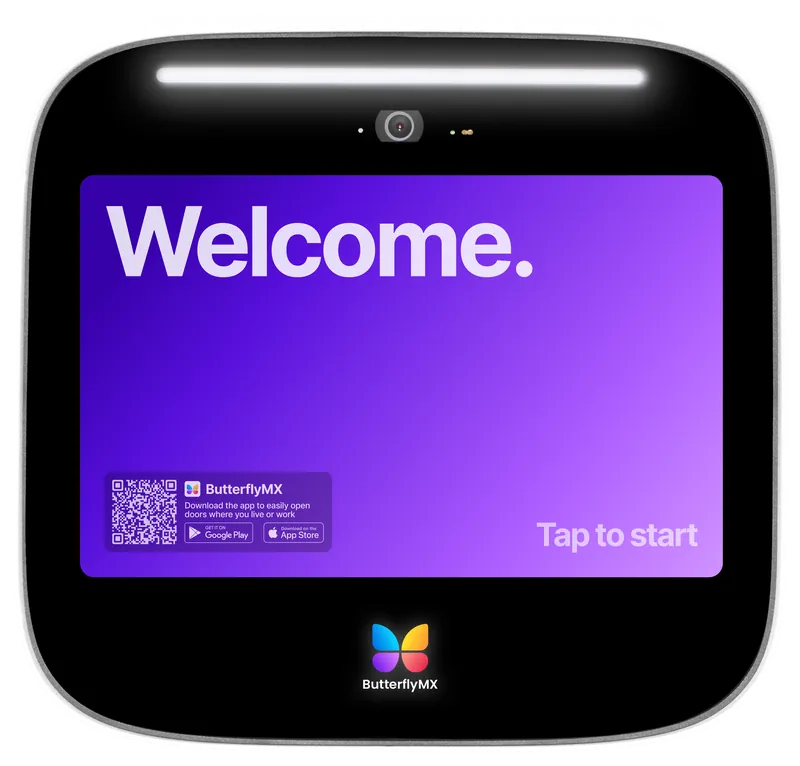
ButterflyMX 12-inch surface video intercom

Video intercoms

The panel at your front door. Visitors find a resident in the directory or scan a pass, the resident sees them on a phone or tablet, and one swipe opens the door.

  • 8-inch and 12-inch models, surface or recessed
  • Outdoor-rated (IP65) from -40°F to 140°F
  • 1080p camera with a 156° wide view
  • No in-unit handsets to wire or maintain

Watch the product demo

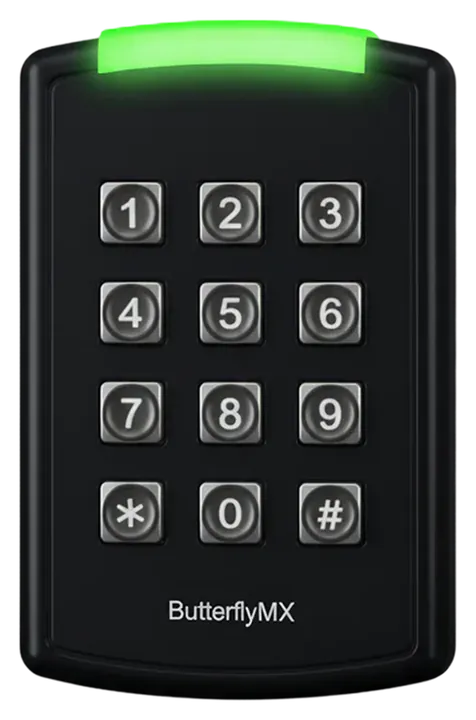
ButterflyMX keypad access reader

Access control: readers and keypads

Cloud-managed readers for side doors, amenity rooms, mail rooms and garages. Change who can go where from a phone or computer, instead of re-keying doors.

  • Keypad, mullion and single-gang readers
  • Unlock with the app, a fob, a keycard or a six-digit PIN
  • Works with electric strikes and magnetic locks
  • Optional offline mode with a backup battery
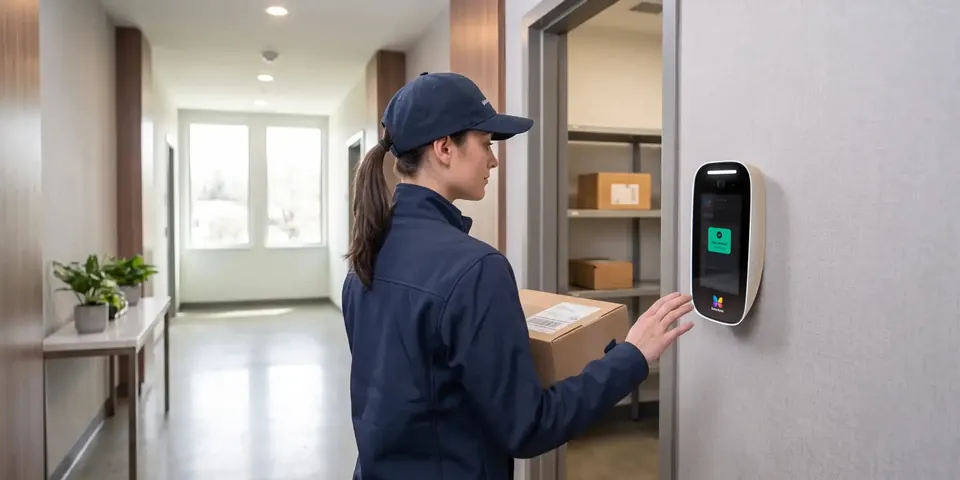
Courier using a ButterflyMX panel at a building package room

Packages and deliveries

Couriers get in without a resident racing downstairs, and packages end up somewhere safe. Residents can pick up around the clock.

  • One-time Delivery Pass made in the app
  • Recurring carrier PINs set by your staff
  • Optional package room with photos and resident alerts

Watch Delivery Pass

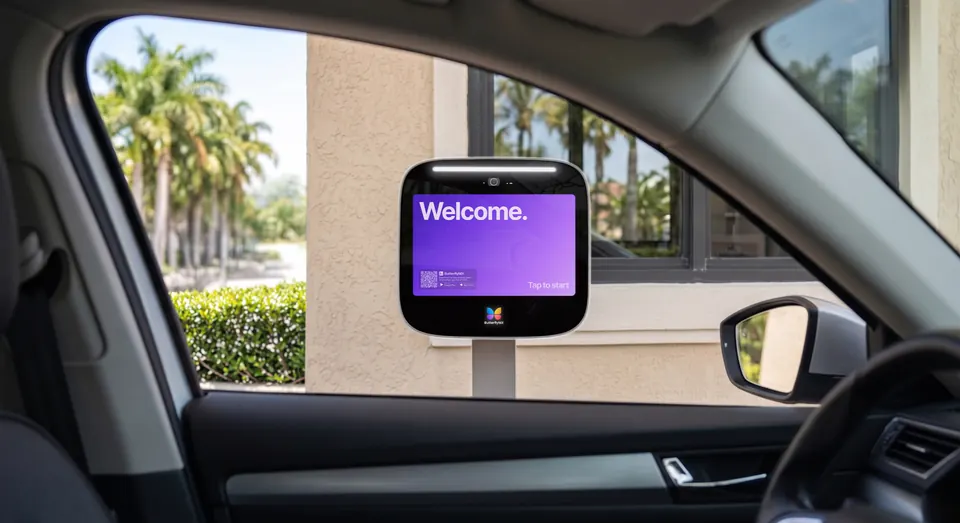
ButterflyMX 12-inch video intercom on a pedestal at a gated community entrance, seen from a car

Gates and garages

Open vehicle entrances without remotes. Use license plate recognition, a long-range reader with windshield tags, or a mix across entrances.

  • Plate reading: the license plate is the key
  • Windshield tags: no batteries to swap
  • Residents can also open from a phone or CarPlay

Watch gated communitiesWatch license plate recognition

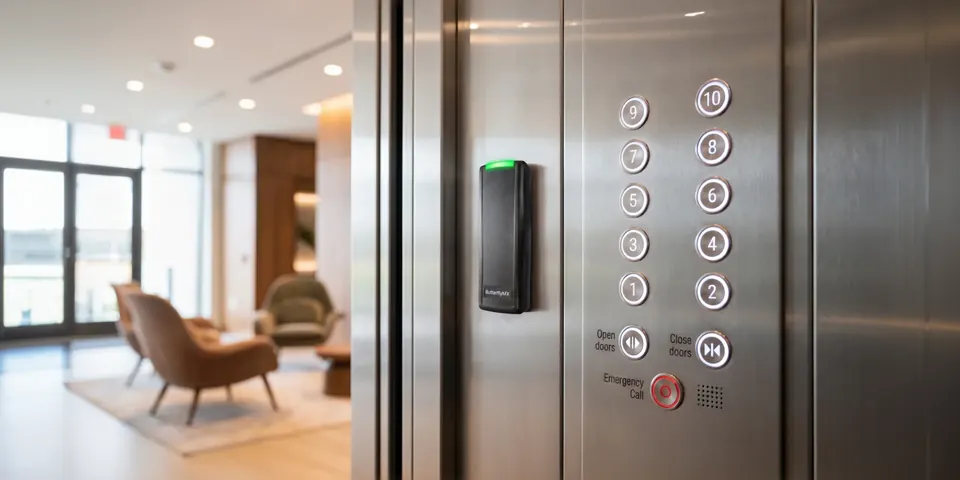
ButterflyMX access reader mounted in an elevator cab next to the floor buttons

Elevator control

For key-fobbed elevators. When a resident lets a visitor in, the elevator unlocks only that resident's floor for a short time.

  • Floor-by-floor or all-floor unlock
  • Works from the intercom or an in-cab reader
  • Coordinated with your elevator contractor
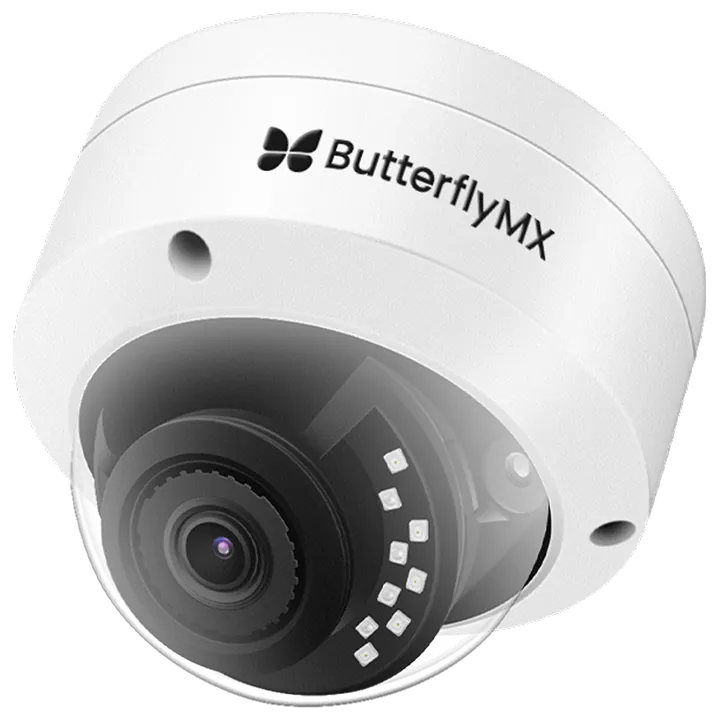
ButterflyMX dome security camera

Security cameras

Dome and bullet cameras with high-definition video and night vision, tied into door activity so you can go from an entry event straight to the video. Many existing cameras can be added too.

  • Live view and recorded footage online
  • Powered by a single Ethernet cable
  • Filter footage by door or gate events
Also available
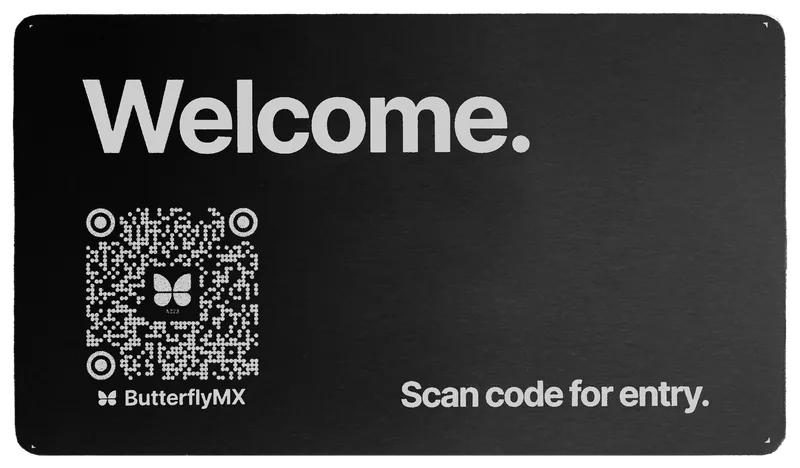
ButterflyMX QR Code Intercom plaque in black anodized aluminum, landscape orientation

QR Code Intercom

A weatherproof plaque visitors scan with their phone camera to open a web-based intercom, with no app to download. Good for smaller buildings and side entrances.

Smart lock connections

ButterflyMX connects to many popular smart-lock brands, including Schlage, Kwikset and Yale, so unit doors can sit in the same app as the front door. We check your lock model before we promise anything.

Front Desk Station

Software for an ordinary Windows or Mac computer so a concierge or office can see live video, talk to visitors and unlock doors, on site or remote.

See it in action

Watch how ButterflyMX works

Short official videos from ButterflyMX. Click a thumbnail to play — nothing loads from YouTube until you do. The product demo, gated community, and license plate recognition videos are at the top of the page.

How ButterflyMX works 1:29
How ButterflyMX Delivery Pass Works 0:34
How ButterflyMX Visitor Pass Works 0:13
Before vs. After: Modernizing Building Entry with ButterflyMX 0:24

Videos by ButterflyMX, from their official YouTube channel.

Who it is for

Built for the way your property is used

The equipment is the same. What matters most changes with the building.

  • Apartments and multifamily

    Residents, guests and deliveries all day long. The intercom, package handling and property-management sync matter most here.

  • Condos and HOAs

    Boards need a clean record of who can get in, and an easy way to add or remove owners, tenants and vendors.

  • Gated communities

    Open gates and garages without handing out remotes, and keep visitors at the front gate under control.

  • Commercial and office

    A tenant directory, business-hours passes for staff and vendors, and a front desk that can work from anywhere.

  • Student housing

    Residents who live on their phones, with guest passes you can revoke at any time.

  • Senior living

    Welcome family, caregivers and deliveries while keeping doors controlled, with fobs or PINs for anyone who prefers no smartphone.

Non-profit, industrial and mixed-use properties can use it too. Tell us what you manage and we will say honestly whether it is a fit.

Day to day

Easier for the people who use it

Residents

  • See who is at the door and unlock it from anywhere
  • Send Visitor Passes for guests and regular helpers, and cancel them anytime
  • Make a one-time Delivery Pass for a courier

Property teams

  • Add and remove people from a web dashboard
  • Review entry logs with photos instead of guessing
  • Sync with your resident software so move-ins and move-outs update access

Visitors and couriers

  • Find a resident in a simple directory
  • Scan a Visitor Pass or type a PIN
  • Carriers can use a standing PIN set by your staff

Works with your resident software. ButterflyMX lists integrations with Yardi, RealPage, Entrata, AppFolio, Buildium, Rent Manager, ResMan, MRI Software, Condo Control, BuildingLink, CINC, Vantaca, Greystar and FirstService Residential. When your resident list changes, access follows.

How System Integrity helps

From first walk-through to the call after go-live

As a ButterflyMX Certified Partner and a Maryland managed security provider, we handle the access system and the network it depends on.

Site survey

We walk every entrance with you: doors, locks, gates, power, cable paths, the IT closet and your internet service. You get a plan and a written quote based on what we actually saw.

Wiring and installation

We mount the equipment, pull or test cable, connect door hardware and test every entrance before we call it done. Where your elevator or gate has its own contractor, we coordinate with them.

Network and internet

Intercoms and cameras live on your network. We work with Comcast Business internet and Cisco Meraki switches, firewalls and Wi-Fi, so the doors and the network are planned together: the right VLAN, the right firewall rules, and power protected by a battery backup. See network infrastructure

Programming and setup

We set up your resident directory, door schedules and permissions, Visitor Pass and delivery settings, camera links and, if you use one, property-management sync.

Training

Hands-on time for your property staff on adding people, issuing passes and reading logs, plus plain-language instructions you can send to residents.

Ongoing support

One call or email to people who know your property. We troubleshoot readers, panels, cameras and the network, and work with ButterflyMX support when a problem is theirs.

Local to Maryland. We are based at 8 Market Place in Baltimore and focus on Maryland properties, so a service visit is a drive, not a flight.

Process

Four steps, one team

  1. Assess

    We walk the property, learn how people and deliveries move through it, and note what you already have: locks, wiring, cameras, network.

  2. Design

    You get an equipment list, a wiring and network plan, a written quote and a schedule that fits your building.

  3. Install

    We mount, wire and test each entrance, set up the system, and train your staff before go-live.

  4. Support

    We stay on call for fixes, additions and changes as residents, tenants and vendors come and go.

Older systems

Upgrading an old intercom or access system

Most buildings we visit already have something: a phone-entry panel, a buzzer system, a fob reader or a few cameras. You do not always have to start over.

Often kept

  • Electric strikes and magnetic locks that already work
  • Many smart locks, depending on brand and model
  • Many existing IP cameras that follow the ONVIF standard
  • An existing fob system, with the new intercom wired into it

We check first

  • Condition and type of old intercom wiring
  • Power at each entrance
  • Network path and internet service
  • Door hardware and fire-code requirements

Replaced when needed

  • Phone-entry panels and failing call boxes
  • Damaged or outdated wiring
  • In-unit stations you no longer want to maintain

What each entrance needs

ButterflyMX describes its intercom as needing three connections: internet, power and a door release.

  • Internet. A wired network connection is preferred: Cat5e or Cat6 to a switch or router, up to about 300 feet away.
  • Power. Dedicated, conditioned power, ideally on a battery backup, so a blip does not take the entrance down.
  • Door release. An electric strike, magnetic lock or existing access control board to trigger.

Reusing old wiring is not automatic. ButterflyMX's retrofit guidance says to test it, and to replace wiring that is damaged or outdated. We confirm at the survey.

New builds and renovations

Plan access before the walls close

Access control is easiest to get right during design and construction. Conduit, power and network drops are easy to add while walls are open and awkward to add later.

Building or gutting a property? Bring us in early. For a renovation we also check which existing wiring can stay.

What we plan with your team

  1. Map every entry. Main door, side doors, amenity rooms, garage, gates, loading dock. Decide who uses each one.
  2. Pick the credential for each entry. App, fob, PIN, plate or tag, based on who walks or drives through.
  3. Plan pathways early. Conduit and cable from each device back to the IT or telecom room, before walls close.
  4. Provide power and network where devices mount. Conditioned power and a network drop at every panel, reader and camera.
  5. Coordinate the trades. General contractor, electrician, door hardware, gate, elevator and fire alarm contractors all touch the same doors.
  6. Be ready for move-in. We program the system and train staff so access is live when the first resident arrives.

FAQ

Common questions

Do visitors need an app?

No. Visitors use the directory on the intercom, scan a Visitor Pass, or type a delivery PIN. With the QR Code Intercom they scan a plaque and a web page opens, with nothing to download. Residents use the ButterflyMX app, or a fob, card or PIN where your property turns those on.

Can you reuse our existing wiring?

Sometimes. ButterflyMX's own retrofit guidance covers reusing building wiring that tests well and wiring the new intercom into an existing fob system. It also says to replace wiring that is damaged or outdated. We test before we promise either way.

What happens if the internet or power goes out?

The platform is cloud-based, so features like Swipe to Open need internet. ButterflyMX's access controller has an offline mode when a backup battery is installed, and some smart-lock credentials such as PINs and Bluetooth keep working. We design with battery backup and a solid network so outages are rare and short.

Will it work with our property management software?

ButterflyMX lists integrations with Yardi, RealPage, Entrata, AppFolio, Buildium, Rent Manager, ResMan, MRI Software, Condo Control, BuildingLink, CINC, Vantaca, Greystar and FirstService Residential, and says it can sync with others. Once connected, resident changes update access automatically about once a day.

Can you add cameras, or use the ones we have?

Yes to both. ButterflyMX sells dome and bullet cameras that connect to door activity. Its camera gateway also accepts many existing ONVIF cameras. We check your models first.

Can you handle our gates and garage?

Yes. Depending on the entrance we use license plate recognition or a long-range reader with windshield tags. We look at your gate operator, sightlines and how cars approach before recommending one.

How much does it cost?

It depends on how many entrances you have, which products you choose, the condition of your wiring and network, and the ButterflyMX service plan. We do not publish prices. After a site survey you get a written quote.

Who installs and supports it?

System Integrity is a ButterflyMX Certified Partner. We sell, install and support the equipment, set it up, train your staff and stay on call afterward. ButterflyMX makes the platform; we are the local team that puts it in and keeps it working.

Is the ButterflyMX platform secure?

ButterflyMX states that its platform is SOC 2 compliant and publishes a public Trust Center. We add our side: network separation, firewall rules, strong admin accounts and sensible user permissions.
Tell us about your property

Share how many entrances you have, what is there today and what you would like to fix. We will suggest a next step, usually a site walk-through.