01
You authorize the visit
A technician brings a USB tool to your office. The scan runs only after you sign an authorization.
Baltimore, Maryland ·
Technology Success Provider
A System Integrity technician comes to your office and reviews a Windows 10 or Windows 11 PC. You get a clear report on its health and security. The assessment is free for Baltimore-area businesses.
Share a few details and we’ll follow up to schedule a visit. Phone and email work too, if you prefer.
About a minute
A short walk-through of the free onsite assessment, the visit, and the report you receive. Captions are on.
How it works
We come to you, work only with your authorization, and leave you with a report you can actually use.
01
A technician brings a USB tool to your office. The scan runs only after you sign an authorization.
02
The tool is run on a Windows 10 or Windows 11 PC. The scan only reads the PC and changes nothing. It runs offline.
03
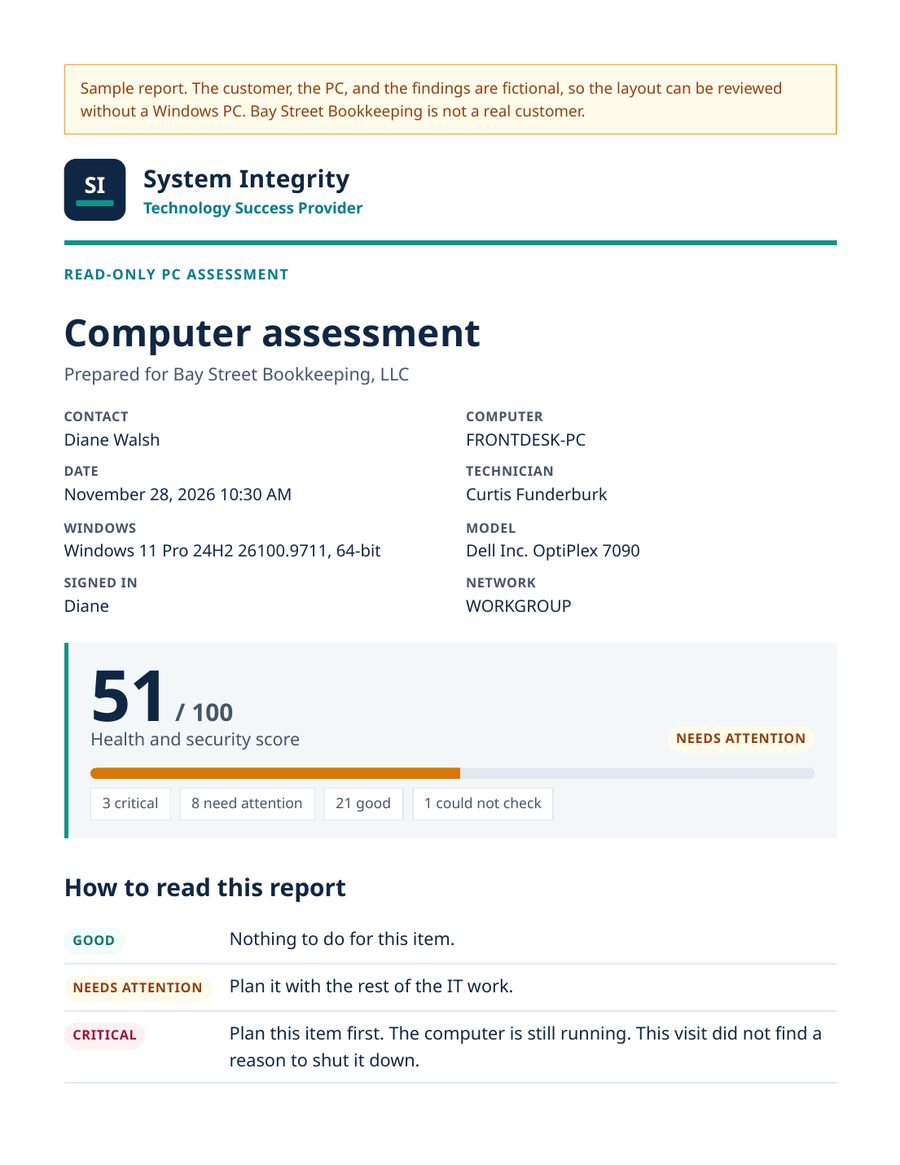
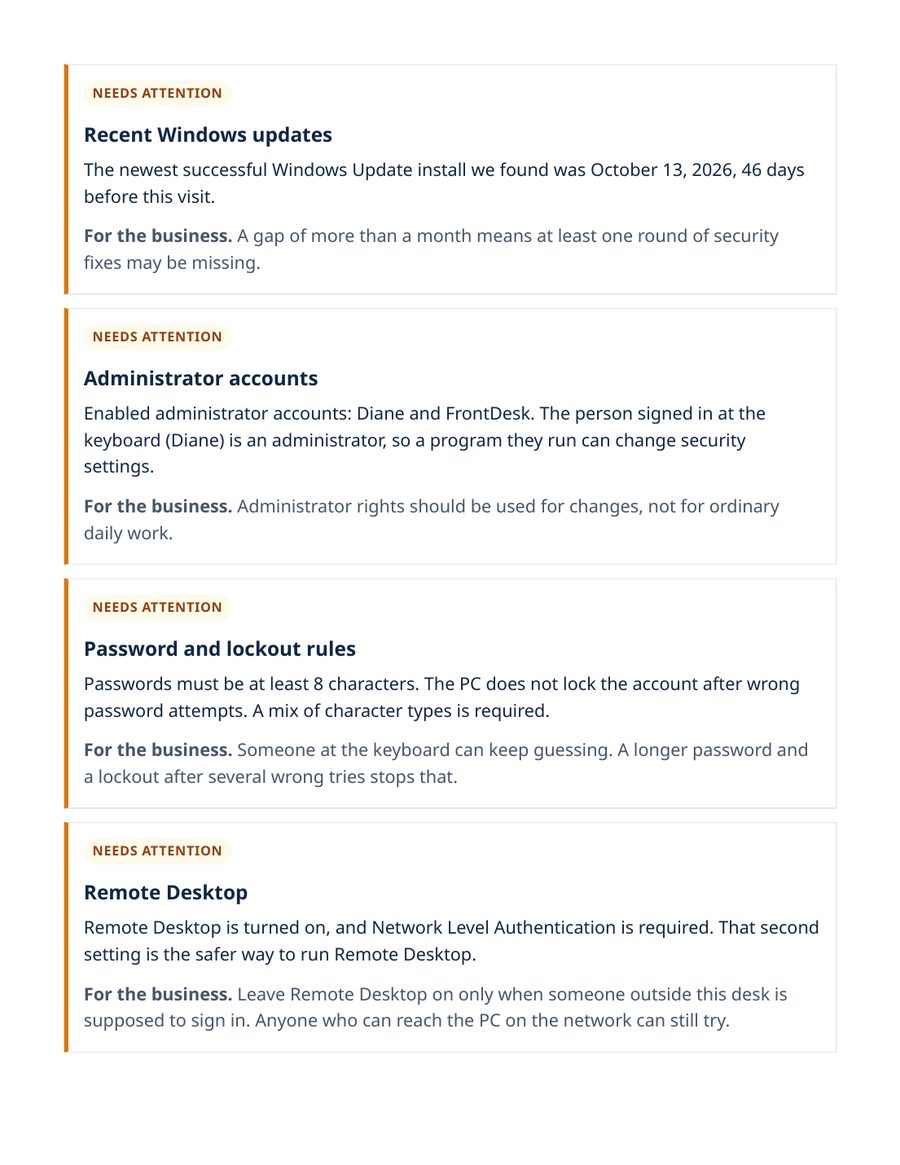
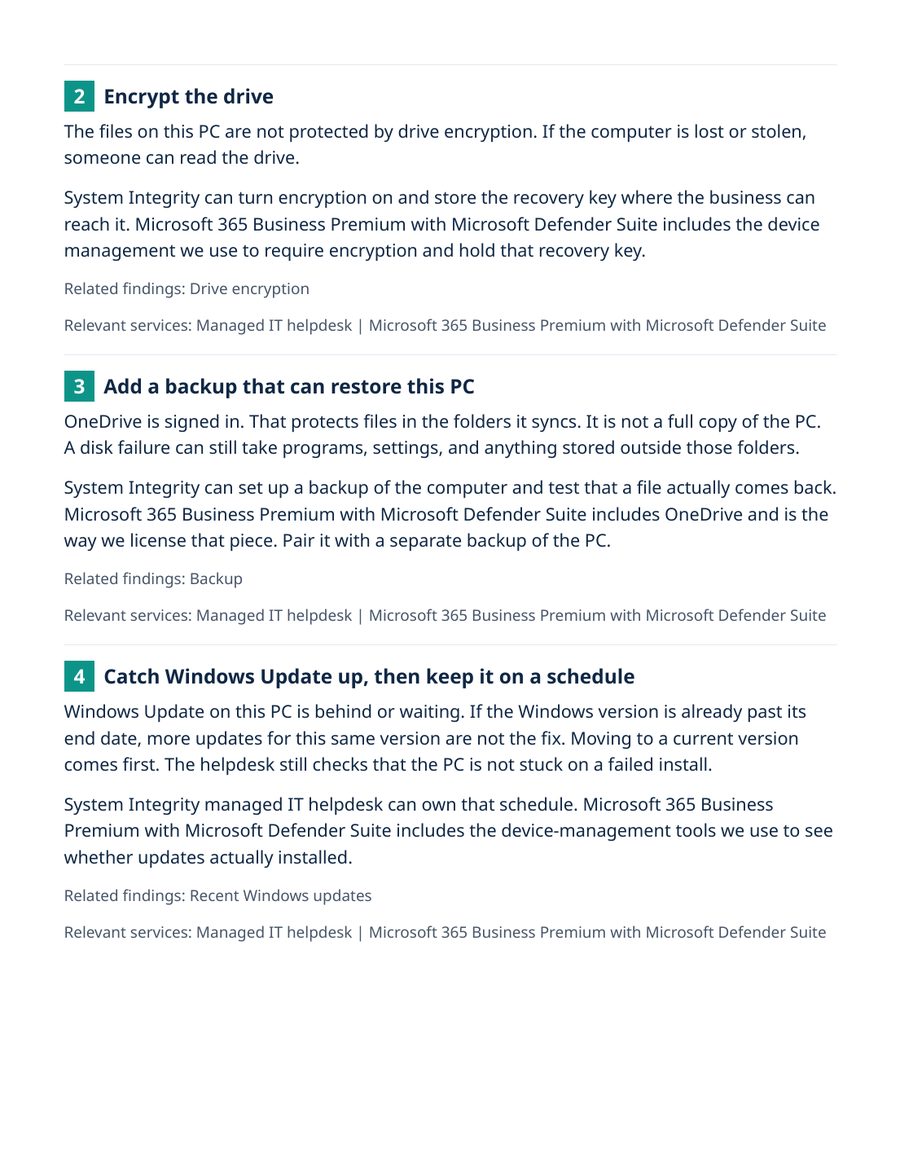
You receive a branded HTML and PDF report with a health and security score, plain-English findings, and recommendations.
Customer data stays on the USB and is never uploaded.
IT and cybersecurity review
The assessment looks at the health and security of the PC, in plain terms you can review with your team.
Your report
After the visit, you have a written record of what we found and what we recommend.
A System Integrity report you can keep, share, and refer back to.
A straightforward score that summarizes the overall condition of the PC.
What we observed, written so you do not need a technical background to follow it.
Suggested next steps based on the findings, for you to consider at your own pace.
Sample report
This is an example of the branded report you receive after the visit. Open any page to view the full PDF.
The business and the PC in this sample are fictional. The sample uses Bay Street Bookkeeping and a fictional office PC so you can see the layout without a real customer report.
Coming soon. Customer-approved repairs and an office network assessment will be available later. This visit is the PC assessment only.
Questions
A System Integrity technician comes to your office with a USB tool. After you sign an authorization, the technician runs the tool on a Windows 10 or Windows 11 PC. The scan reads the PC and does not change anything.
No. The scan only reads the PC and changes nothing.
The scan runs offline. Customer data stays on the USB and is never uploaded.
The assessment is for Windows 10 and Windows 11 PCs.
The onsite PC and security assessment is free.
You receive a branded HTML and PDF report with a health and security score, plain-English findings, and recommendations.
Prefer to talk?
The request form at the top of this page is the primary way to ask for a visit. You can also call or email.
8 Market Place #300
Baltimore, MD 21202
Use the form above, or reach Curtis directly. Calling connects you; email opens your own email app.
If you want help with next steps after the report, we can talk about IT and cybersecurity options for your business, including Microsoft 365 Business Premium plus Microsoft Defender Suite.